◃◃◃ Close Home

Simplifying conference registration

The Early Childhood Conference is an annual event highly anticipated by Early Childhood Educators in Singapore. But year after year, they faced a barrier to participate. How can we help to ease the registration process for a conference with limited slots?

ROLEInteraction Design
Research
Prototyping

PRODUCTEvent Registration Portal

YEAR2019

First Step to an Event Journey

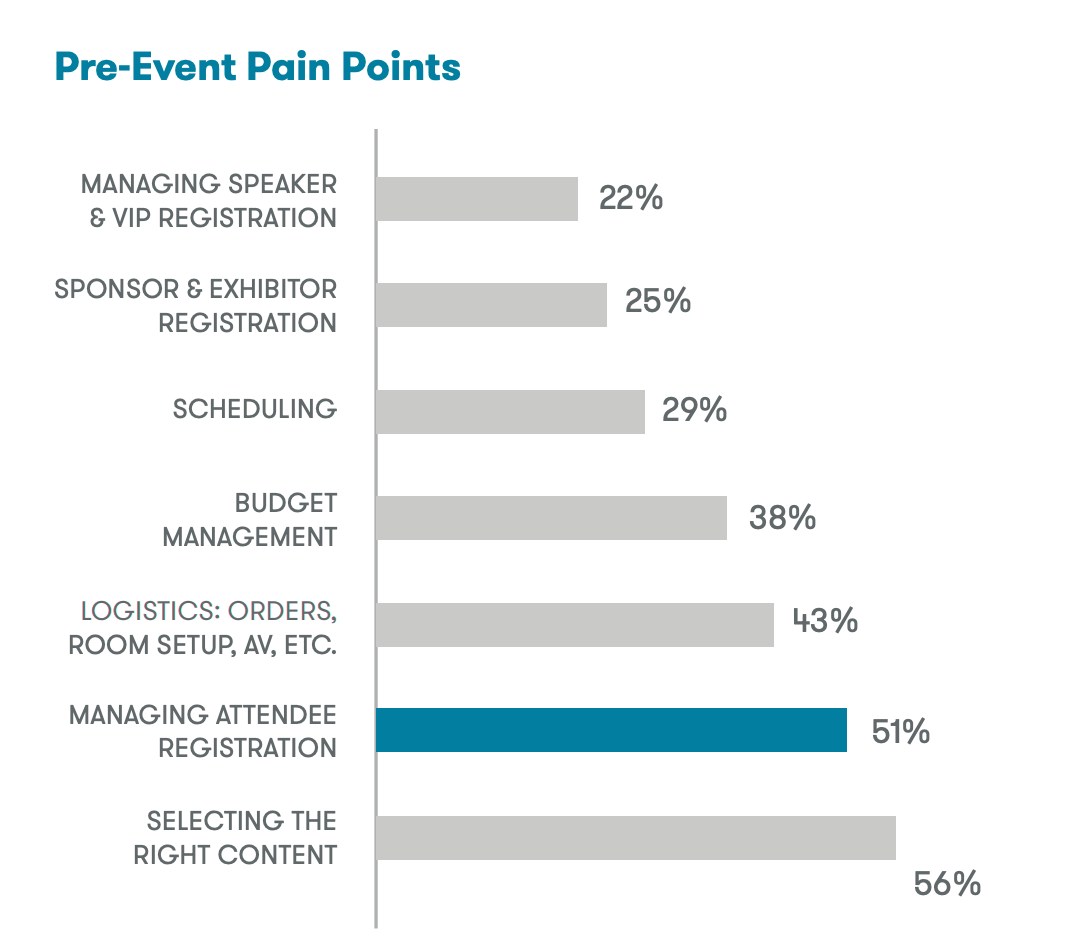
The beginning of every event starts from registration. From a study made by Aventri, managing attendee registration is one of the top pre-event pain points. A smooth and efficient registration process is the key to a positive first impression.

#1 - Understanding Business Goals

Need for Business Buy-ins

Why This Project Has to Happen

Originally a standalone microsite, the registration portal for this year's conference was decided to be integrated with the Agency's main transactional system as as part of the effort to create a single universal platform for all interactions and services with Preschool Operators.

Business Intention

We identified many potential areas for improvement from an initial assessment of the current microsite. However, we sensed resistance in making improvements to the registration process from our engagement with the Business Team. The following is the core of their intention.
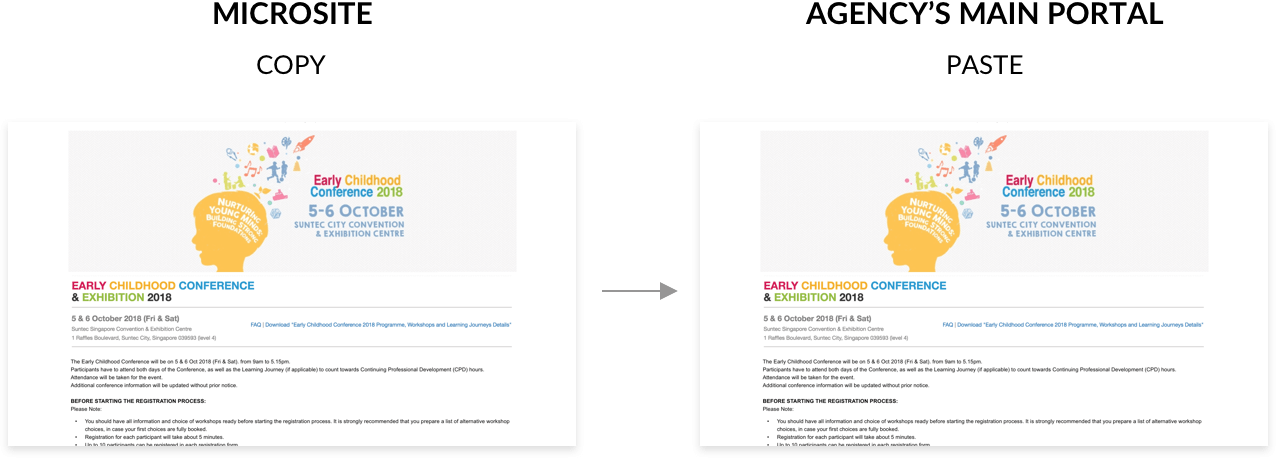
The Team is concern about opening registration on time and therefore wish to directly duplicate microsite directly to the new portal. Keeping in mind the limited time frame, we planned and proposed a quick research stint.

#2 - Discovering User Needs & Problems

Exploring User's Environment

Together with the Business Team, we went down to various Preschools to interview Centre Principals whom we have identified as potential end users. Beside registering for themselves, Principals might also register for their staff (Teachers).
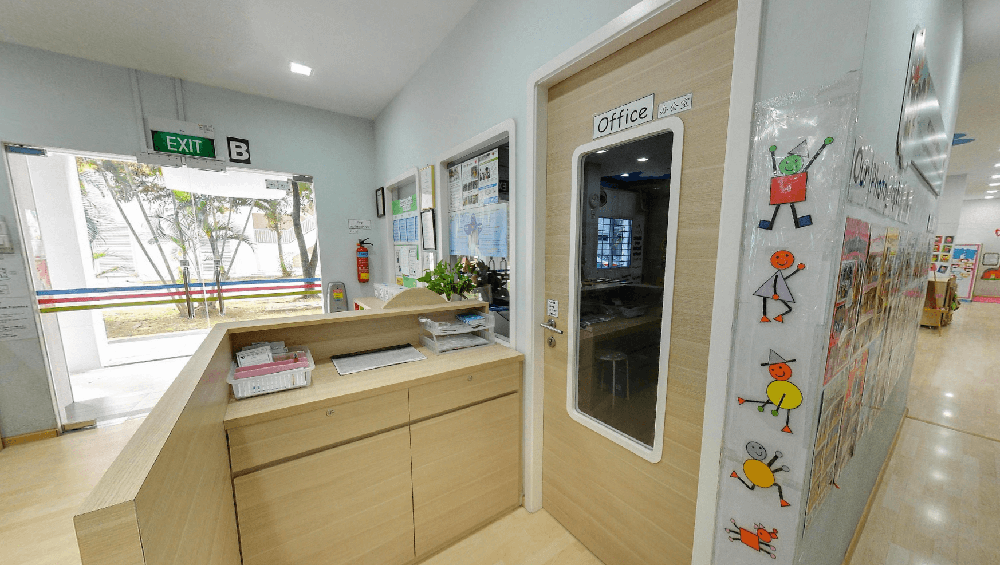
Conducted interviews with Principals in their offices
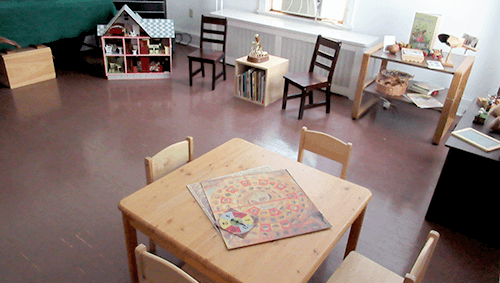
Some interviews are conducted in children's activity room as their office spaces are small

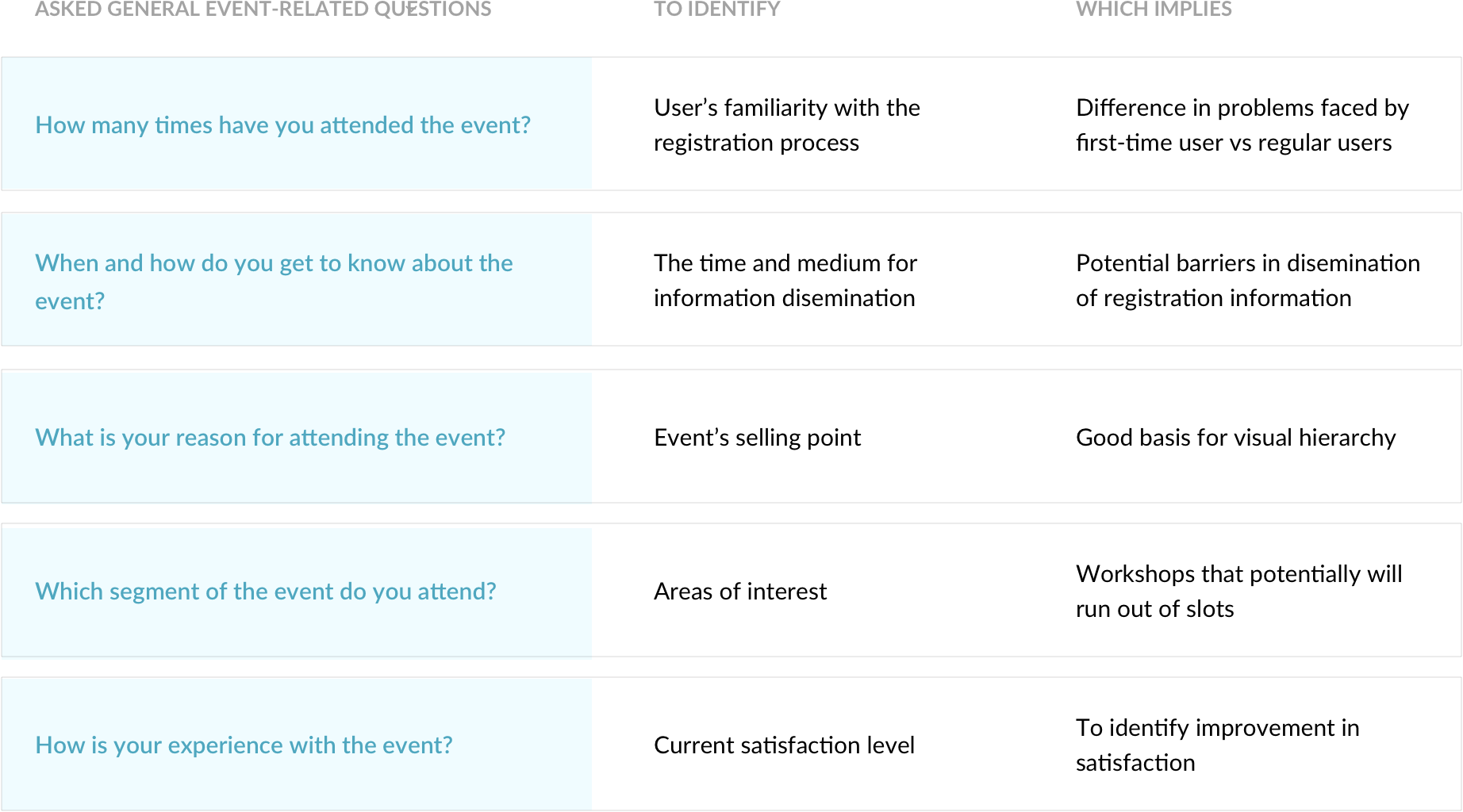
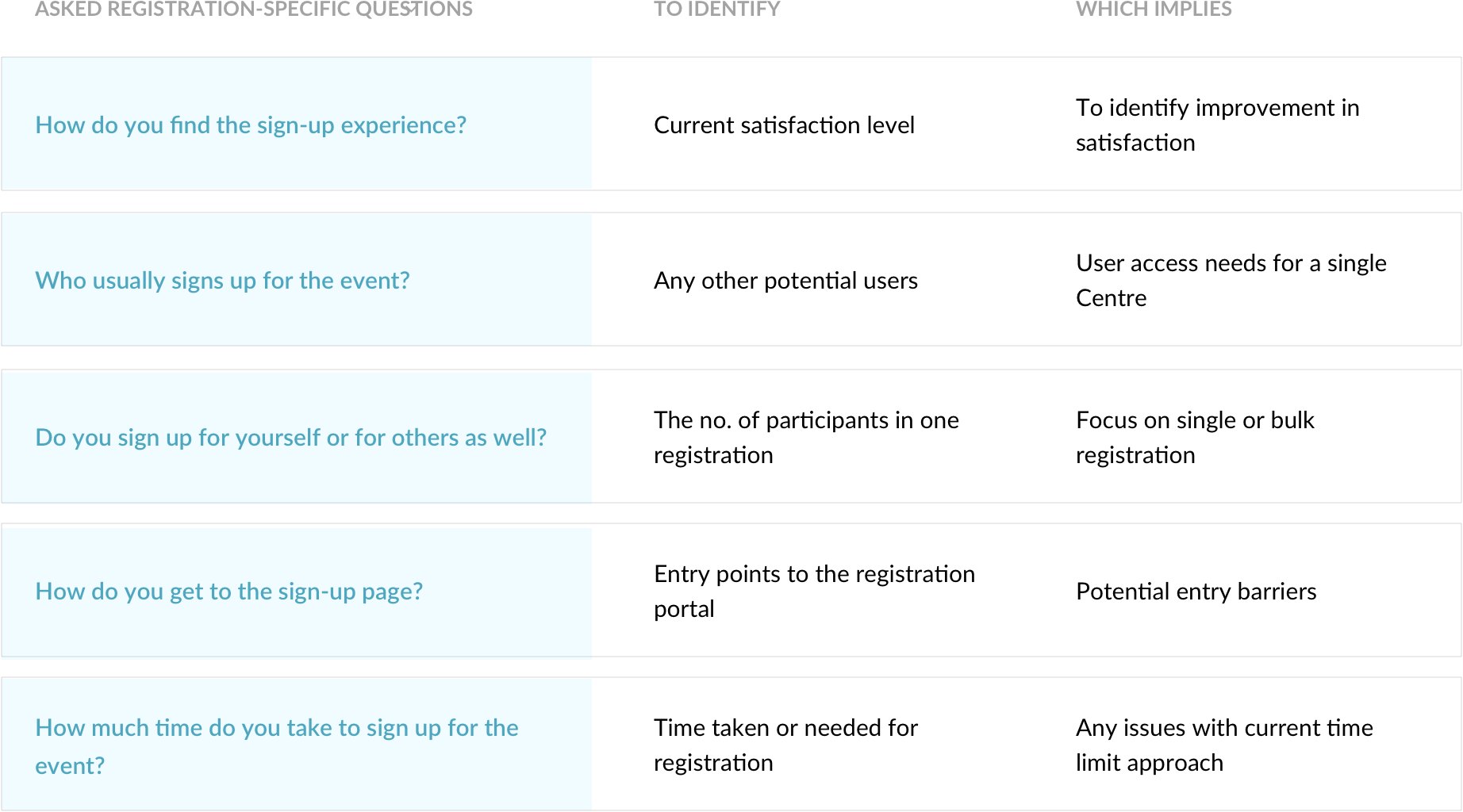
The Principals shared their experience with the event, from awareness, to registration, to attending the event. We wanted to focus on finding out their motivation, behaviour and satisfaction throughout the entire event journey. Below are some key general event-related questions asked.

On-Site Usability Testing with Microsite

We also conducted usability testing on last year's registration microsite with a invision prototype (as the site is no longer active). This helps to trigger users' memory on their registration experience and also act as a good basis for discovering pain points.
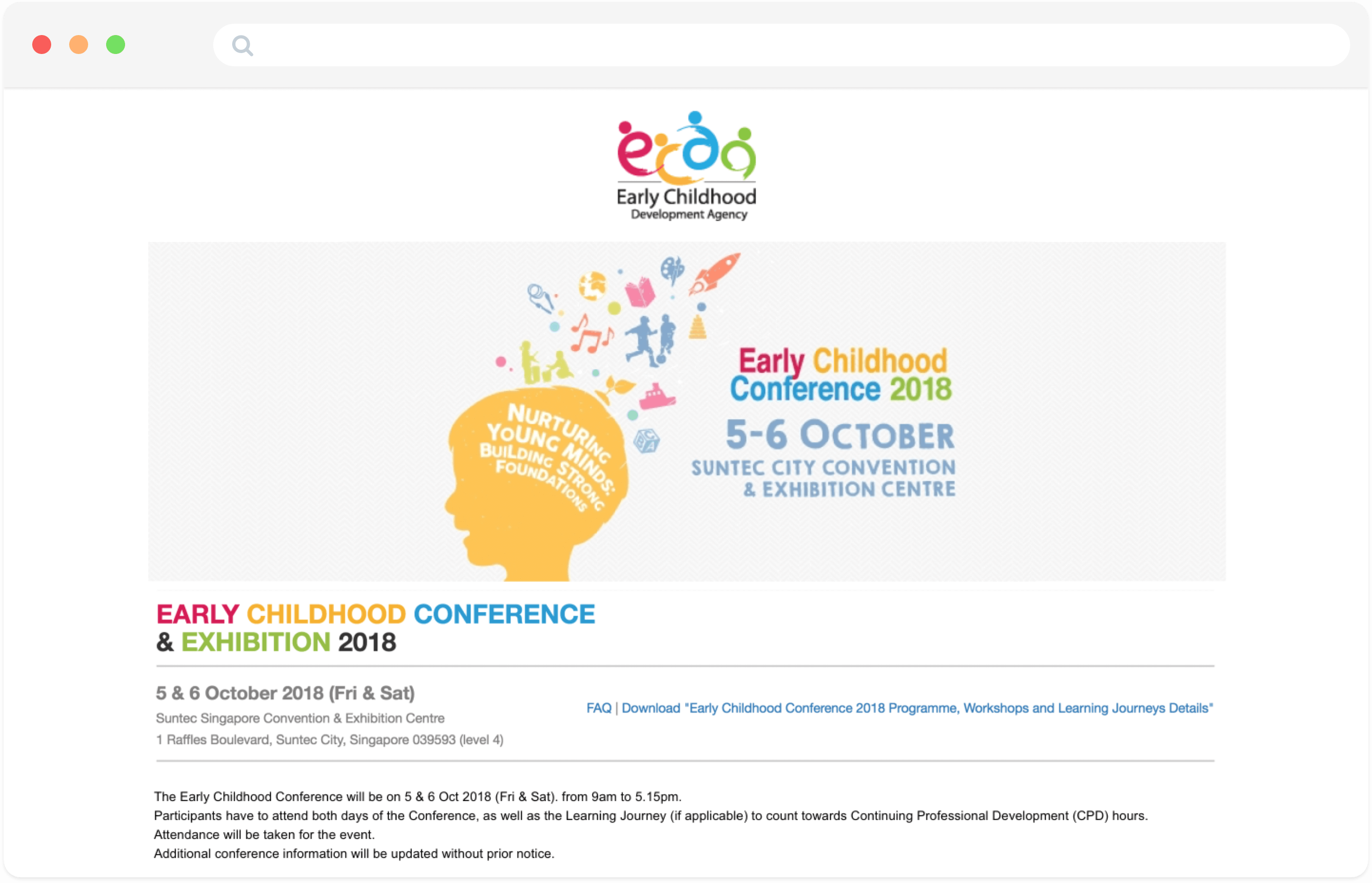
Prototype of last year's registration microsite created from invision - View prototype

Rowdy Working Environment

Users' working environment is often not ideal for "ticket battles".

Testing on-site provided some crucial environmental context. Centre Principals are usually either on-the-go or based in their respective Preschools. Office spaces are usually in close proximity to children's activity areas. This can potentially further increase their stress level when registering for the conference.

This further emphasize on the importance for a smooth and efficient registration process!

#3 - Synthesizing our findings

Identifying the Key Issue & Focus

Where are the Frictions?

By mapping out the registration journey, we helped Business to better visualise the potential areas that need improvements. The red negative touchpoints reflect the frictions encountered by the Centre Principals when registering for the conference.
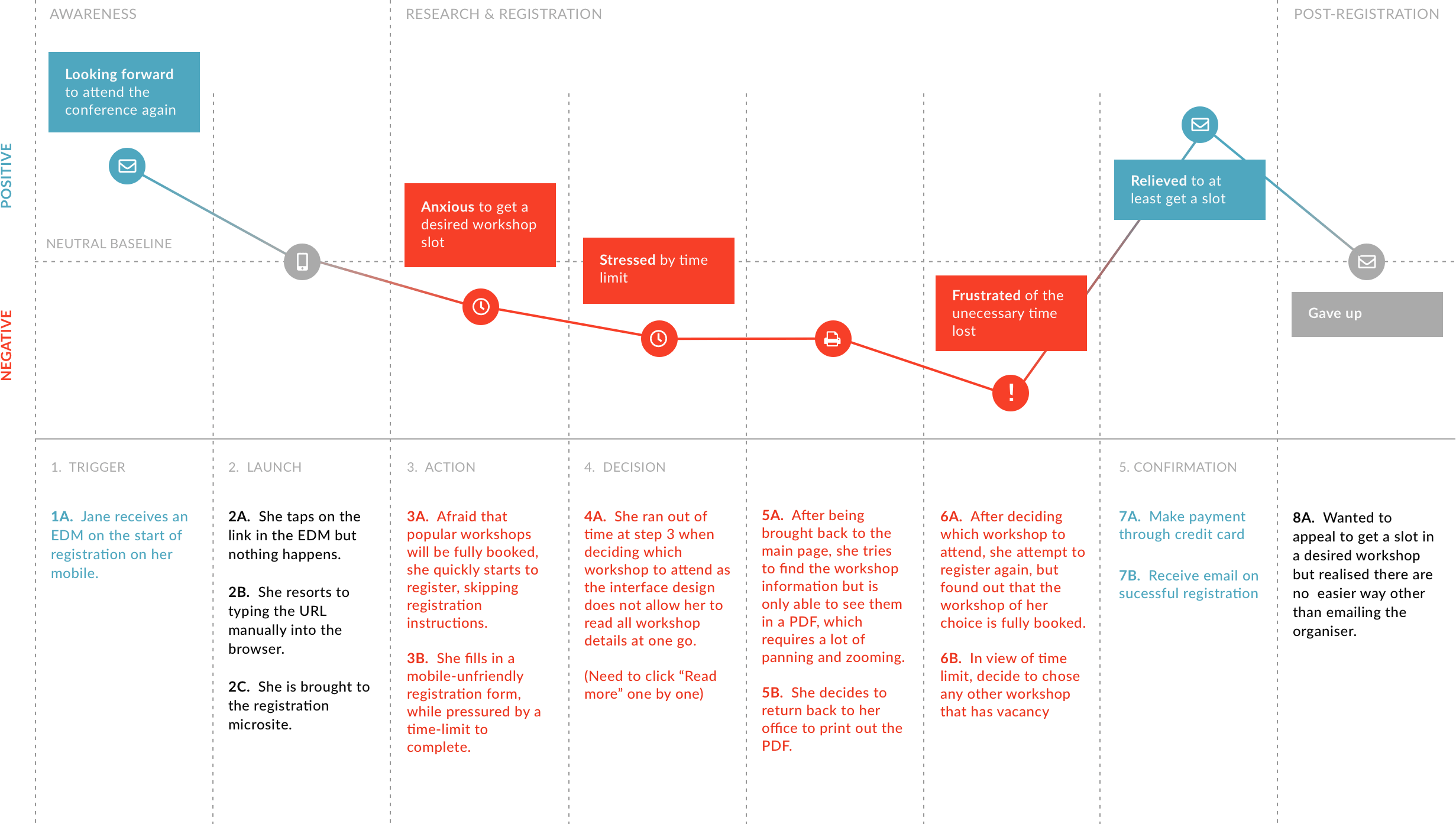
A typical Principal who registers for herself

What are the Priorities?

We grouped our key findings (frictions, behaviour, needs) into 3 phases: Pre-registration, Registration and Post-registration. This help us to draw our focus on areas where most users face difficulties with.
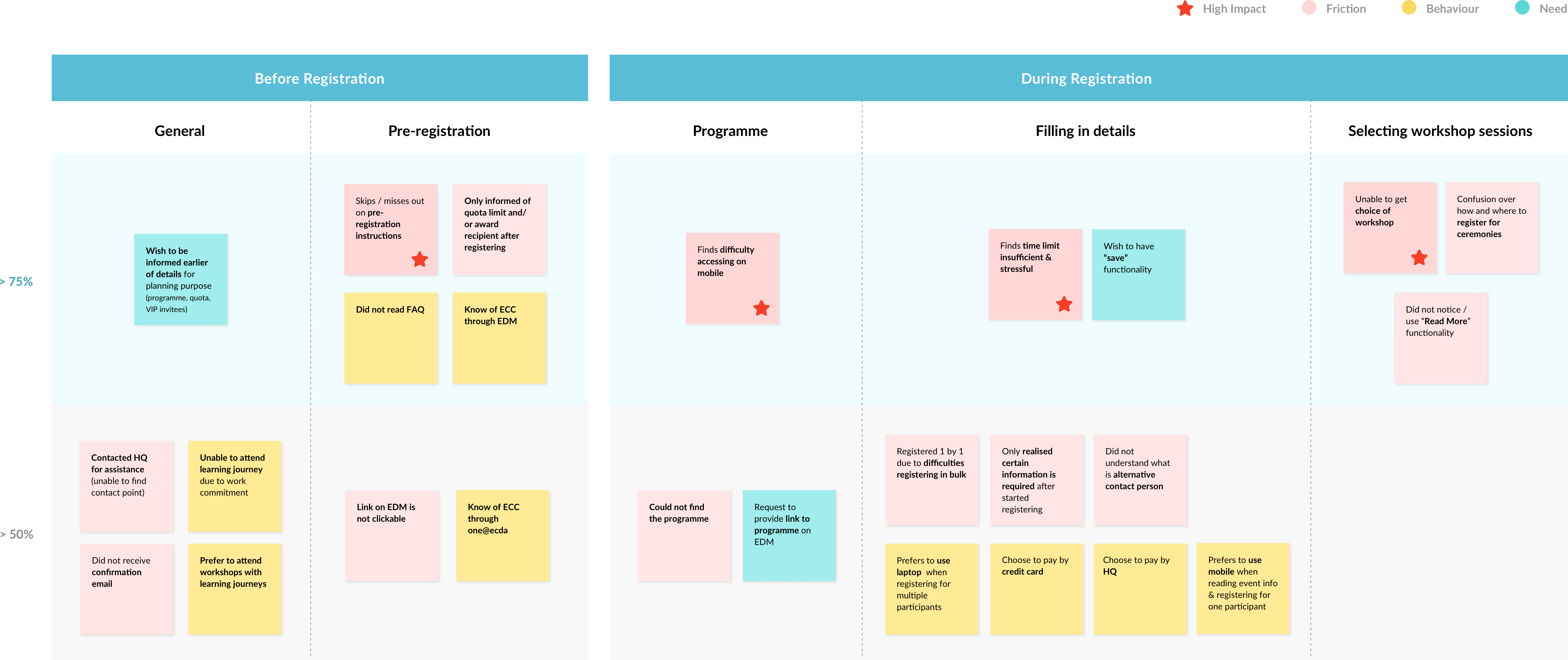
Affinity map for synthesis & prioritisation

The Correlation

Through our analysis, we identified 4 correlated key factors that impact the registration experience.

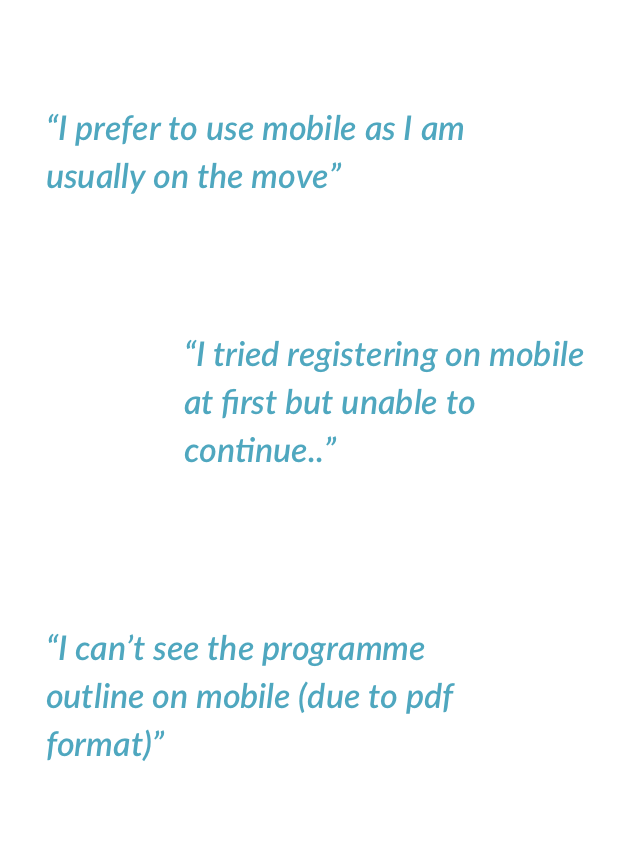
  1. Difficult to register or access event information on mobile
  2. Skip or miss out key registration instructions
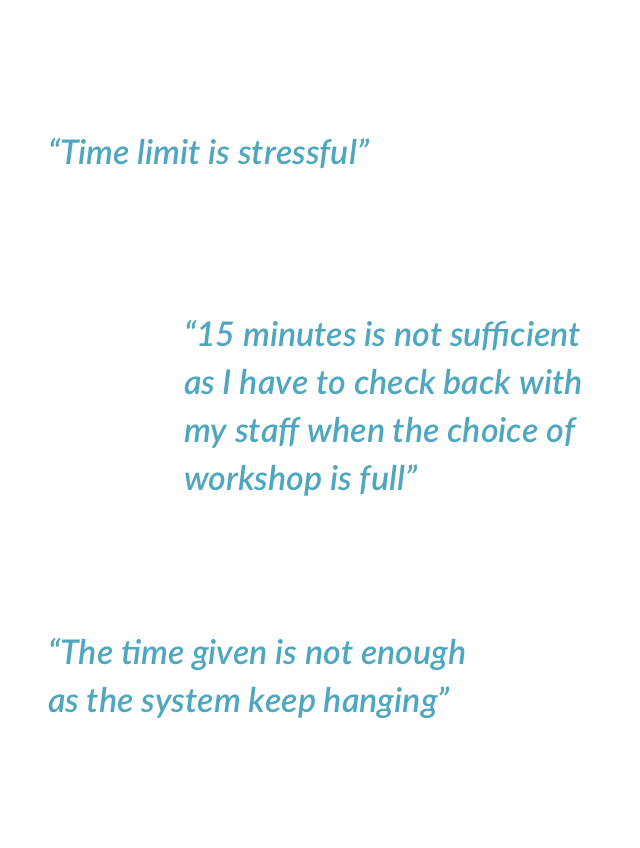
  3. Insufficient time limit imposed to complete a registration
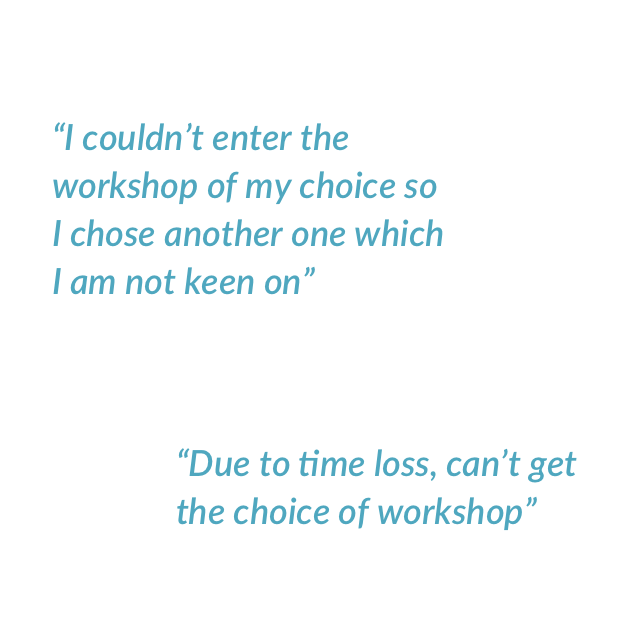
  4. Unable to get a slot for the preferred choice of workshop
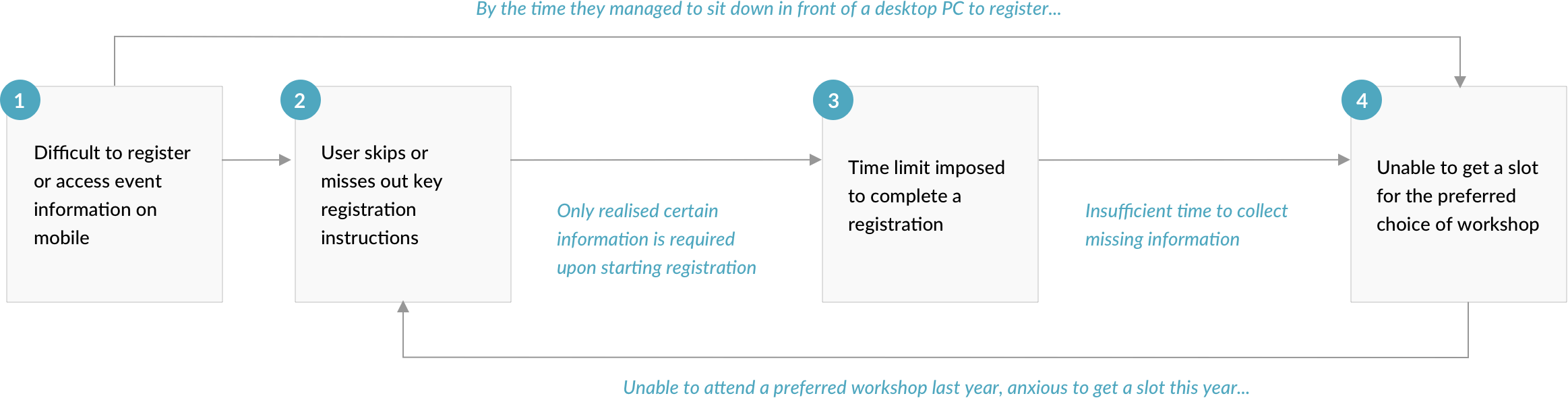
The vicious cycle resulting from the correlated factors

So the main question is...

How can we eliminate stress and minimise uncertainty in securing a seat for a desired workshop?

We wanted to focus on designing a friction-free registration experience, to minimise any uncertainty (in getting a seat for a desired workshop) that results from process or system flaws.

#4 - Solutioning

Redesigning the Registration Experience

01

Problem #1

Difficult to register or access event information on mobile

Implication: As Principals are usually on-the-go, it might be too late to register for their desired workshop by the time they get to register on their desktop PC.

Programme details are not optimised for viewing on mobile

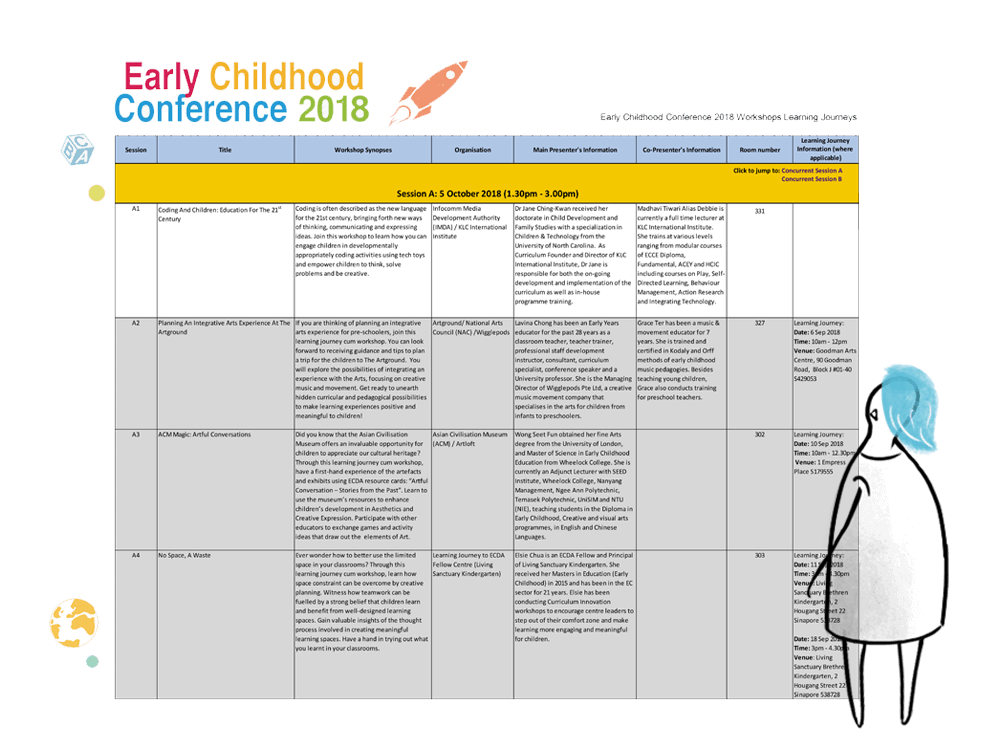
Programme and workshop details are only avaliable as a downloadable PDF document, which is overwhelmingly wordy and packed with unecessary details.

The registration form is also not designed for mobile experience. Most users printed out the programme as it is difficult to refer to the programme in seperate page while registering on their devices.

Solution #1

Mobile-Friendly Interface

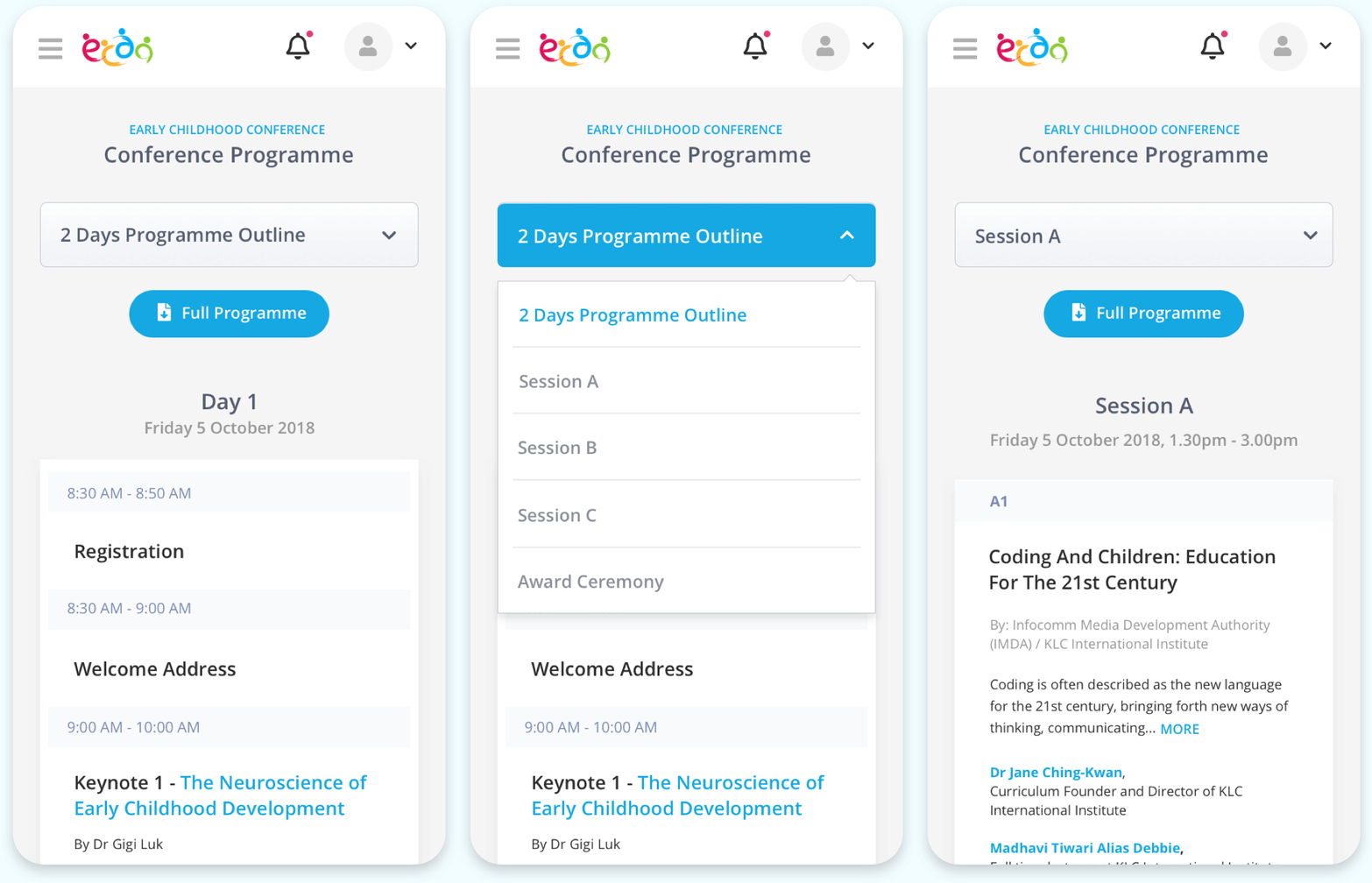
Programme Outline

  • Quick access to different session either from drop-down selection or programme overview
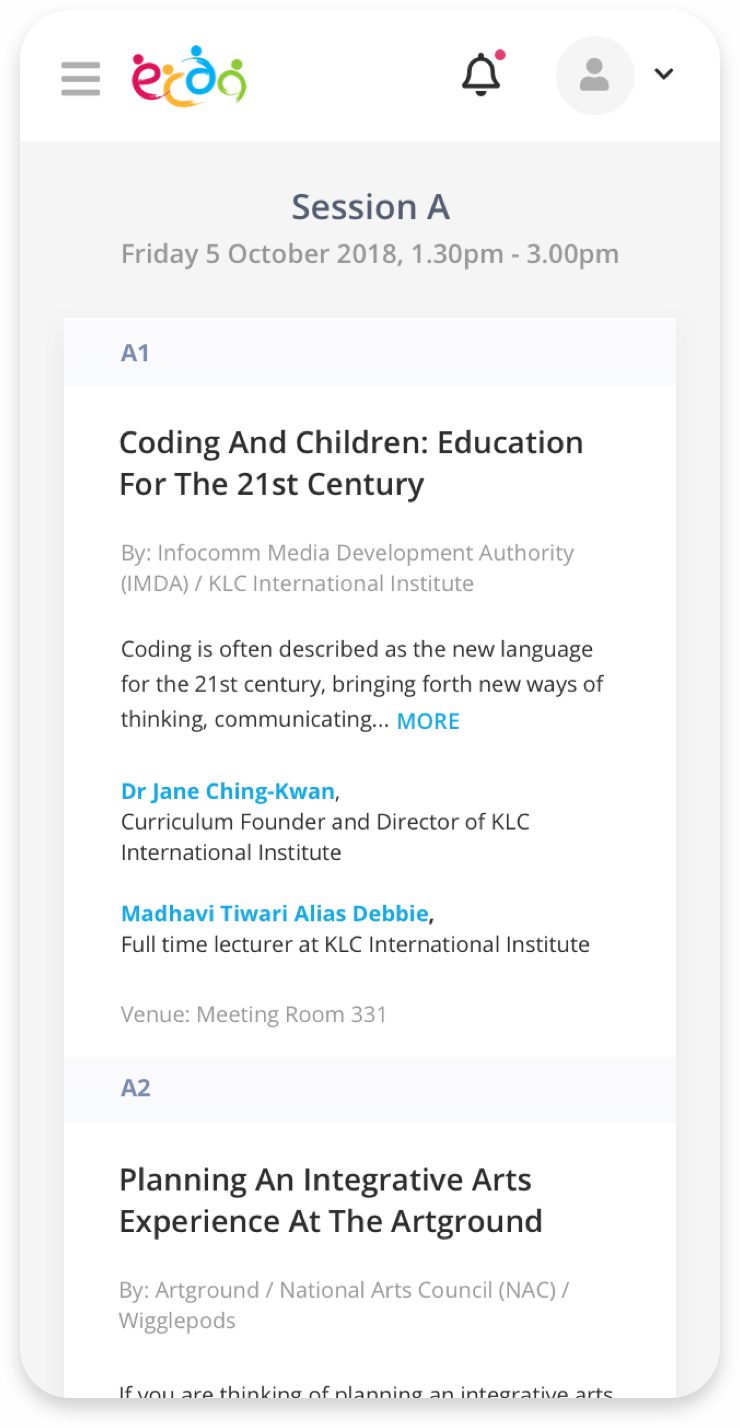
  • Synopsis snippets aids in quick decision-making
  • Information that does not aid in decision-making removed or hidden (eg. speaker bio)

Workshop Information

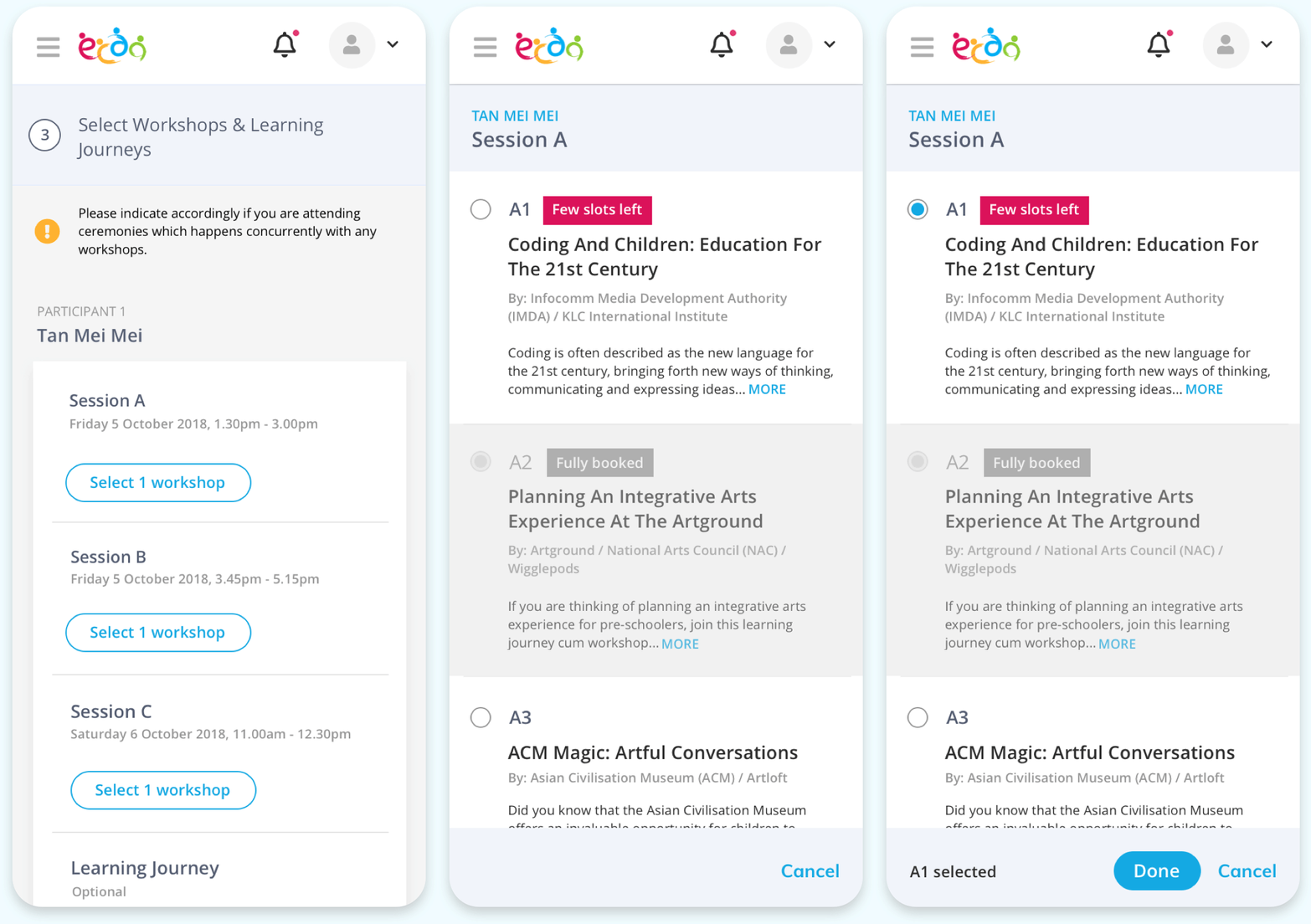
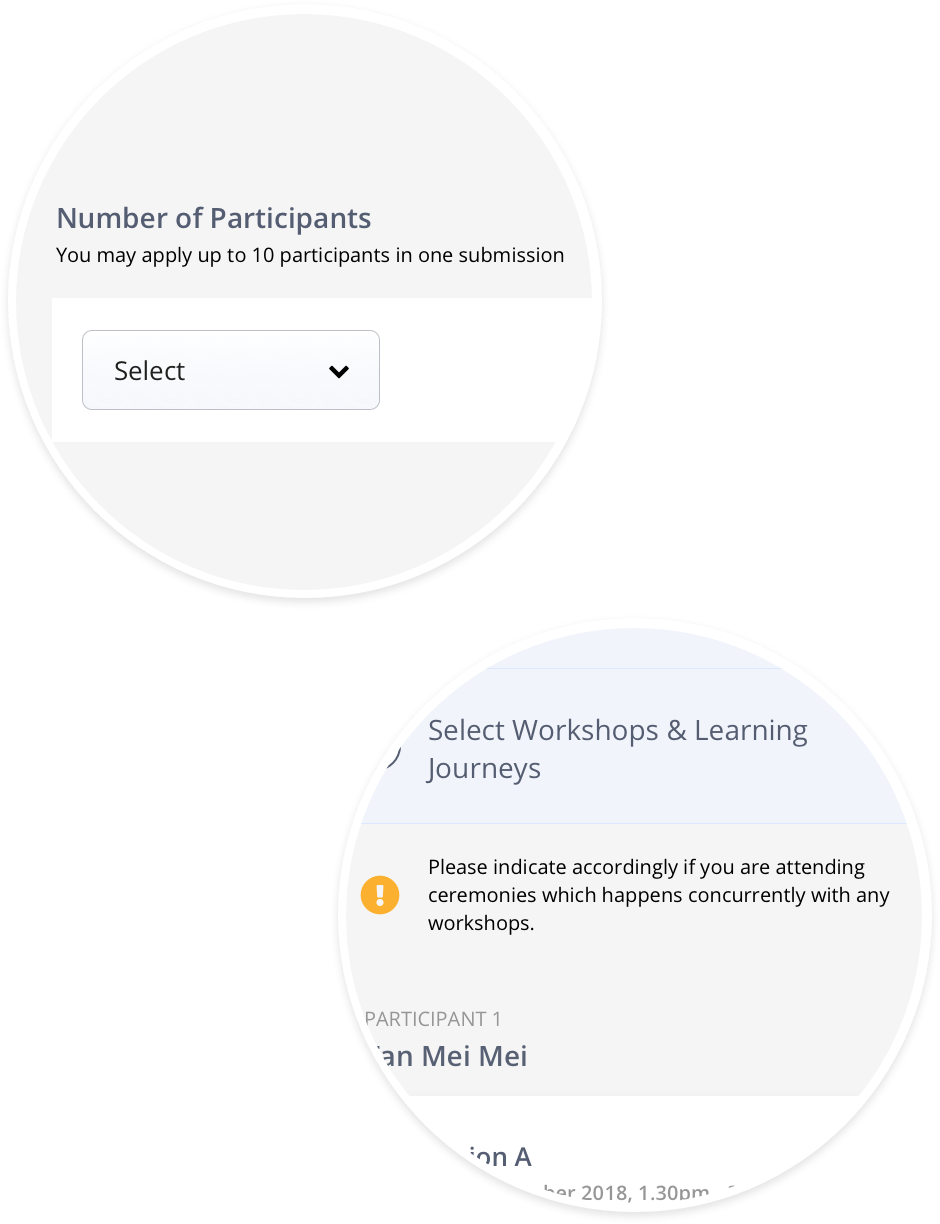
Registration Step 3 - Workshop Selection

  • Key workshop information at a glance
  • Status indicator to highlight workshop popularity

02

Problem #2

Skips or misses out on key registration instructions

Implication: Users only realised certain information is required after starting registration. It is impossible for Principals registering for multiple participants to collect the necessary information within the time limit imposed during registration.

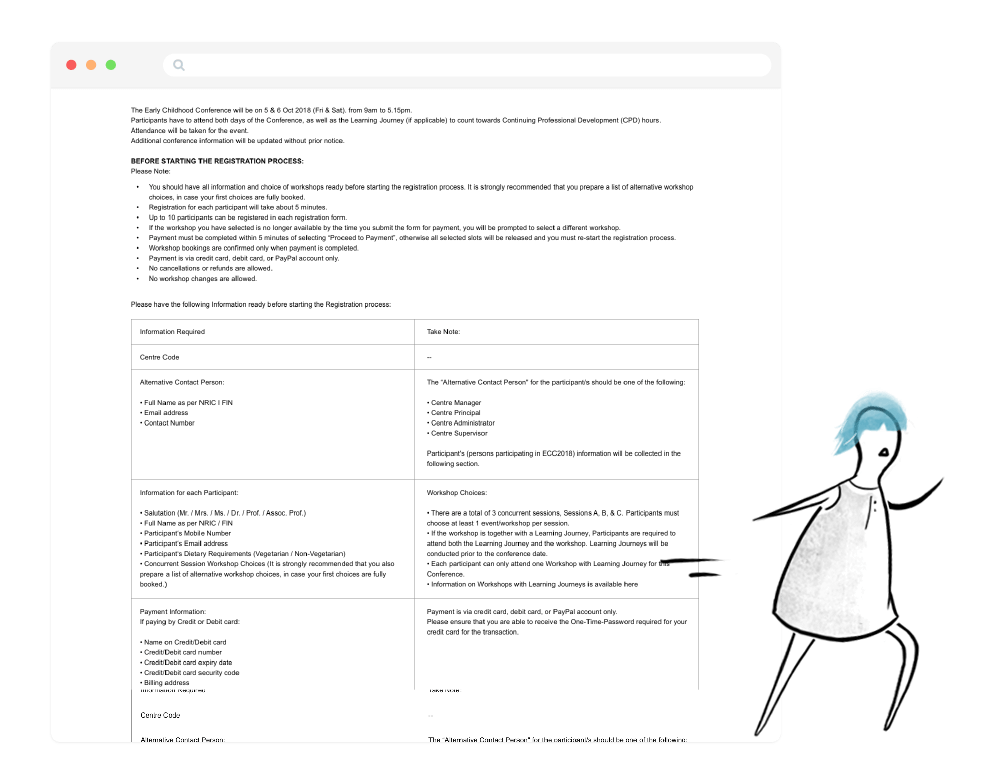
Users tend to ignore the pre-registration instructions

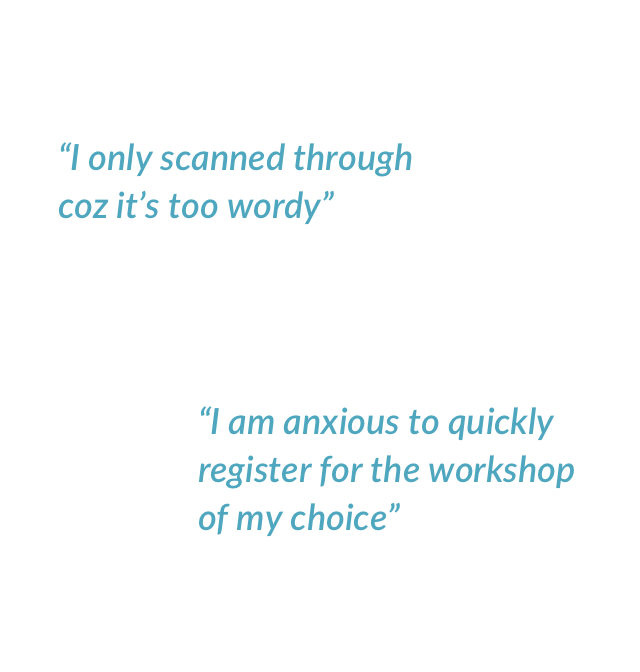
Users would rather not do something that takes time and effort, like reading lengthy instructions. Repeated users assume they already know what they need to know. Even for first-time users, most would assume things can be figured out as they go along. However, the instructions do contain crucial new information (eg. new payment method) that would require attention before filling in the form.

Despite reading through, the overwhelming presentation of the information makes it likely for users to miss out certain information.

Solution #2

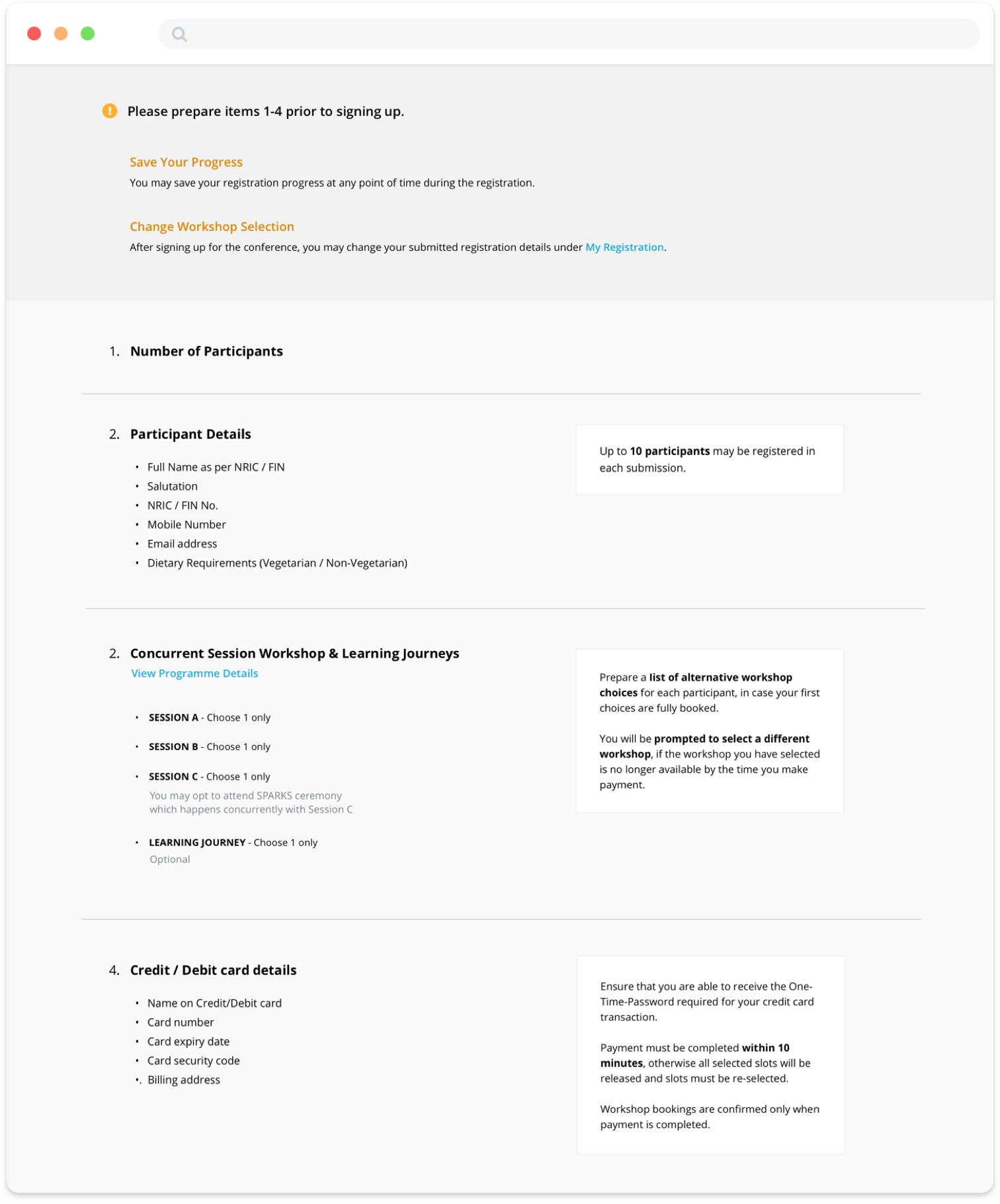
Instruction simplified & avaliable even when missed

Pre-registration Instructions

  • Visual hierachy stablished. Key information are positioned on the left. Recommended actions on the right and avaliable as helper text during registration.
  • New features highlighted upfront.
  • Collection of non-essential information (eg. alternative contact person) removed.
  • Potential confusion addressed (eg. registration for ceremonies).

Helper text

  • In the event when user has skipped or missed out pre-registration instructions, helpful tips are also avaliable as user fill in the registration form along the way.

03

Problem #3

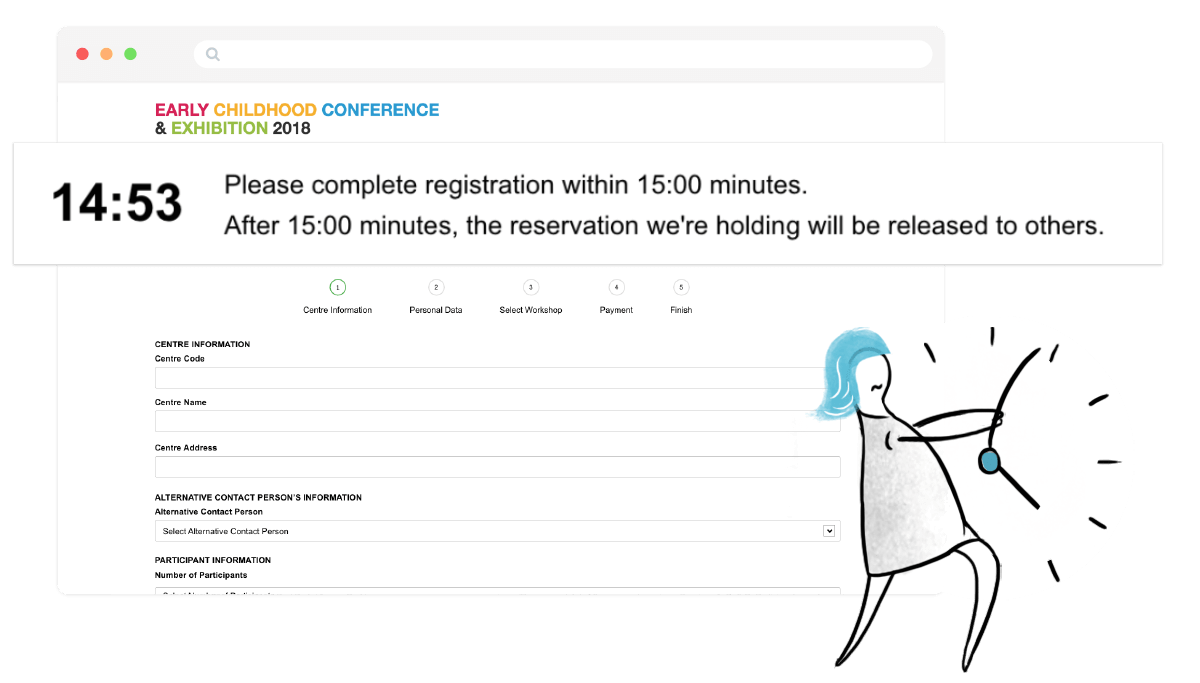
Time limit of 15 minutes to complete registration

Implication: User are logged out of the system when time's up. User will need to start the registration all over again D:

The countdown timer visible throughout the registration process

Principals often need to key in large amount of information when registering for multiple Teachers. The unrealistic time limit is not only insufficient, but also impose unecessary pressure on users when registering.

Solution #3

Save your progress anytime

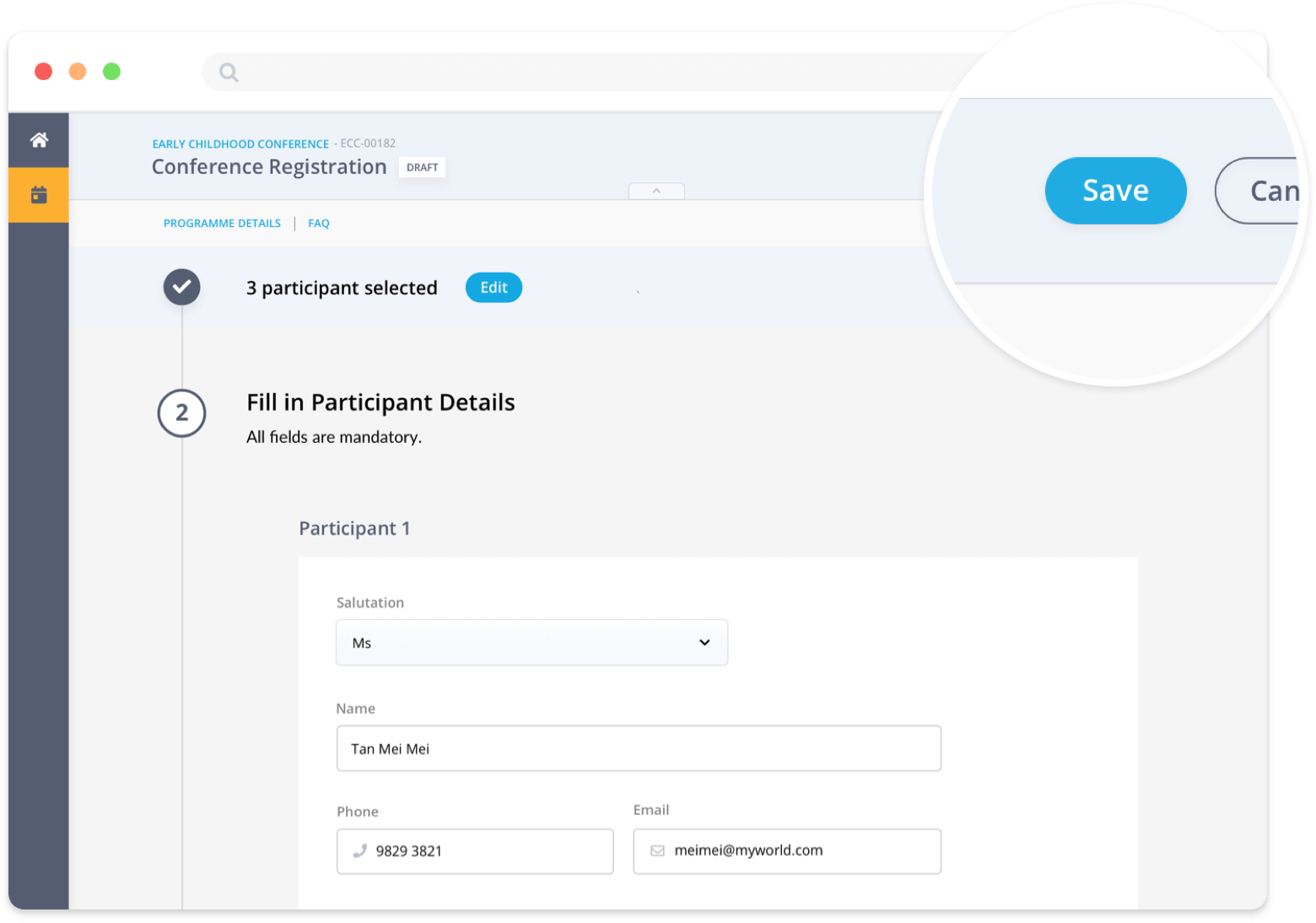
Save

  • "Save" function added. Progress is also auto-saved after completing each step.
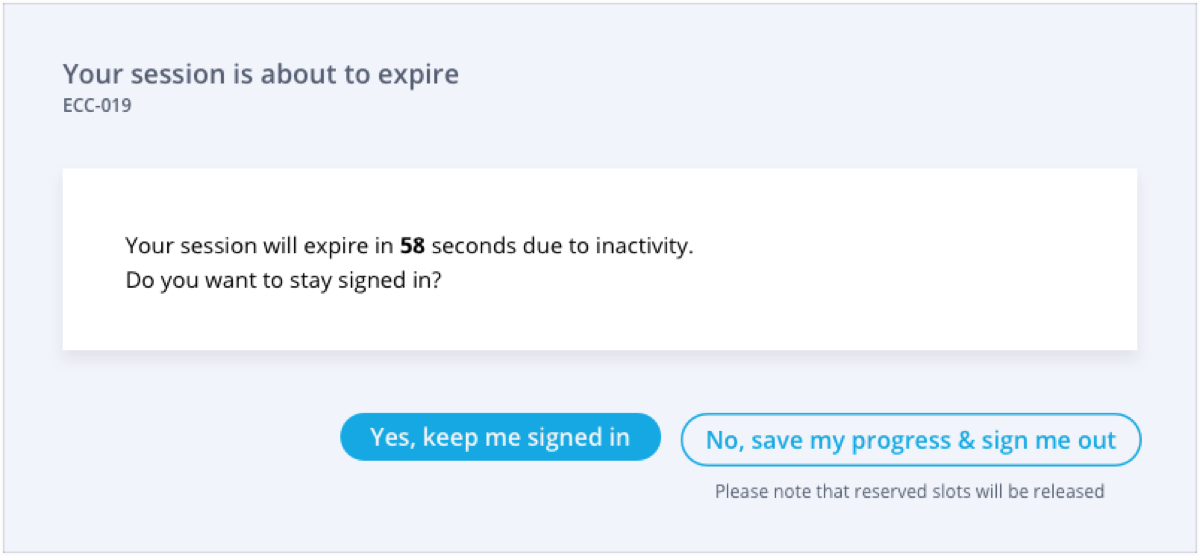
  • Time limit is replaced by a 20 minutes inactivity time-out.

Time-out alert after 20 minutes of inactivity

  • Users will be alerted to save their progress when exiting or before time-out.

04

Problem #4

Unable to get a slot for the preferred choice of workshop

Implication: User are forced to attend other workshops that are not of their interest. The event managers also receive email requests for workshop selection changes, increasing operational costs.

Educators wanted to gain knowledge to expand curriculum and pedagogical possibilities. Not being able to attend their choice of workshop makes the whole event experience meaningless.

Solution #4

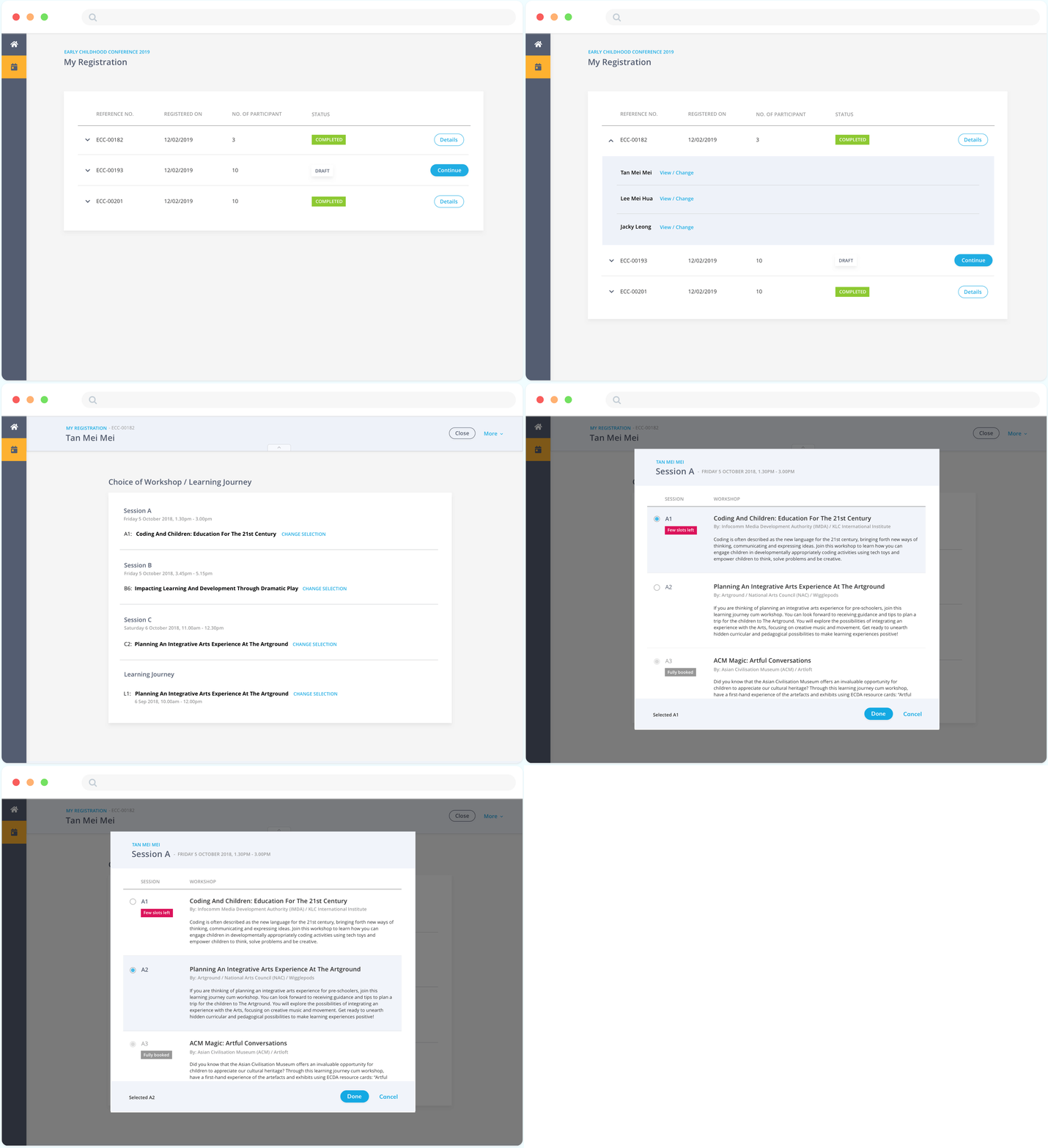
Self-managment of registration details and selection

Changing of registation details

  • Choice of workshop & registrant details can be changed after registration (if there are slots avaliable)

#5 - Validating the designs

Prototype, Test, Iterate

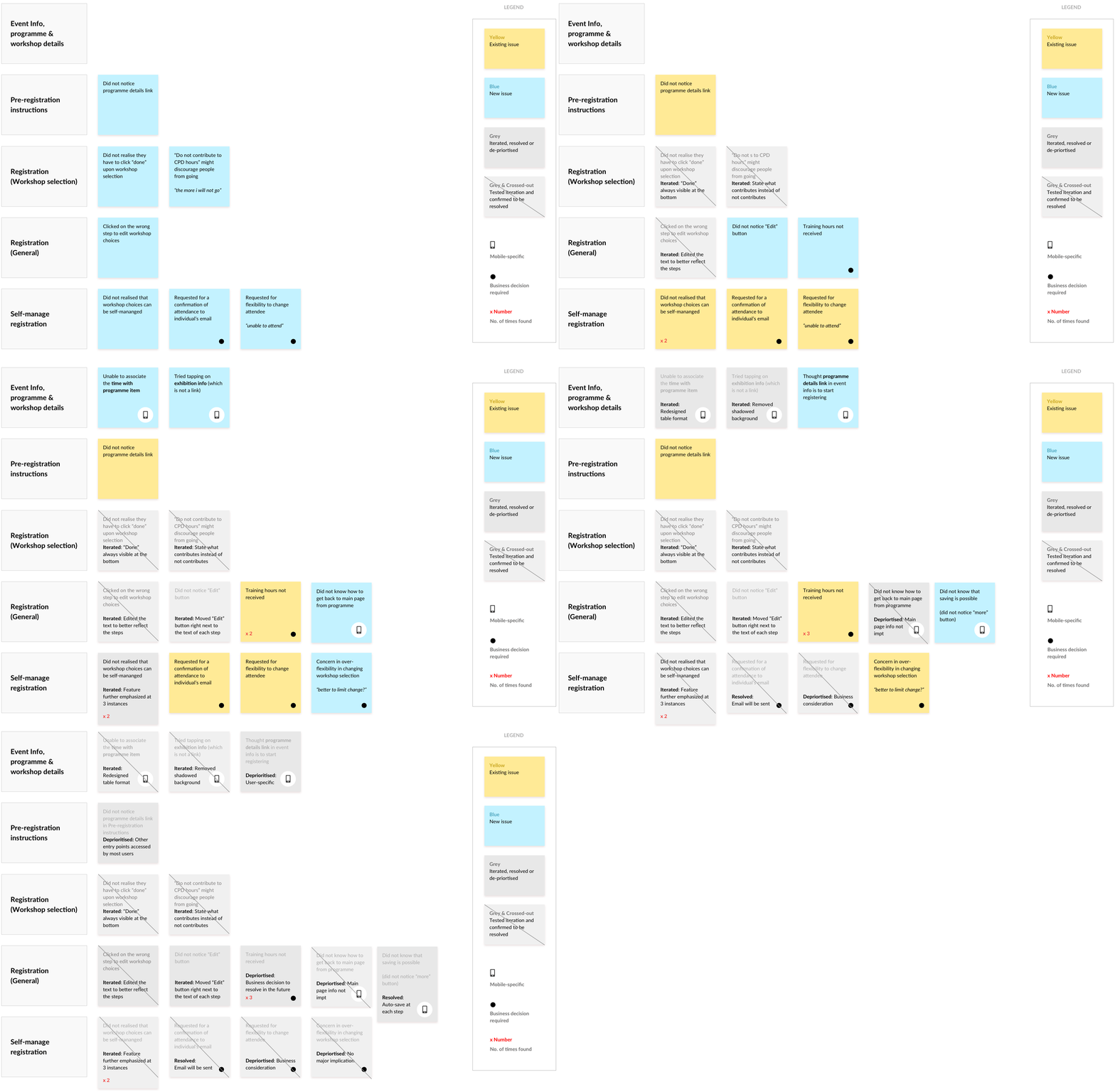
We went through rounds and rounds of usability testing sessions with Centre Principals, focusing on testing whether the registration flow is intuitive, whether information are understandable and whether users are more assured before, during and after registration.

We grouped the areas for improvement according to the feature or functionality, checking them off as we test and iterate.

#6 - Feedback & Results

Impact

User Impact

Improvement in Satisfaction

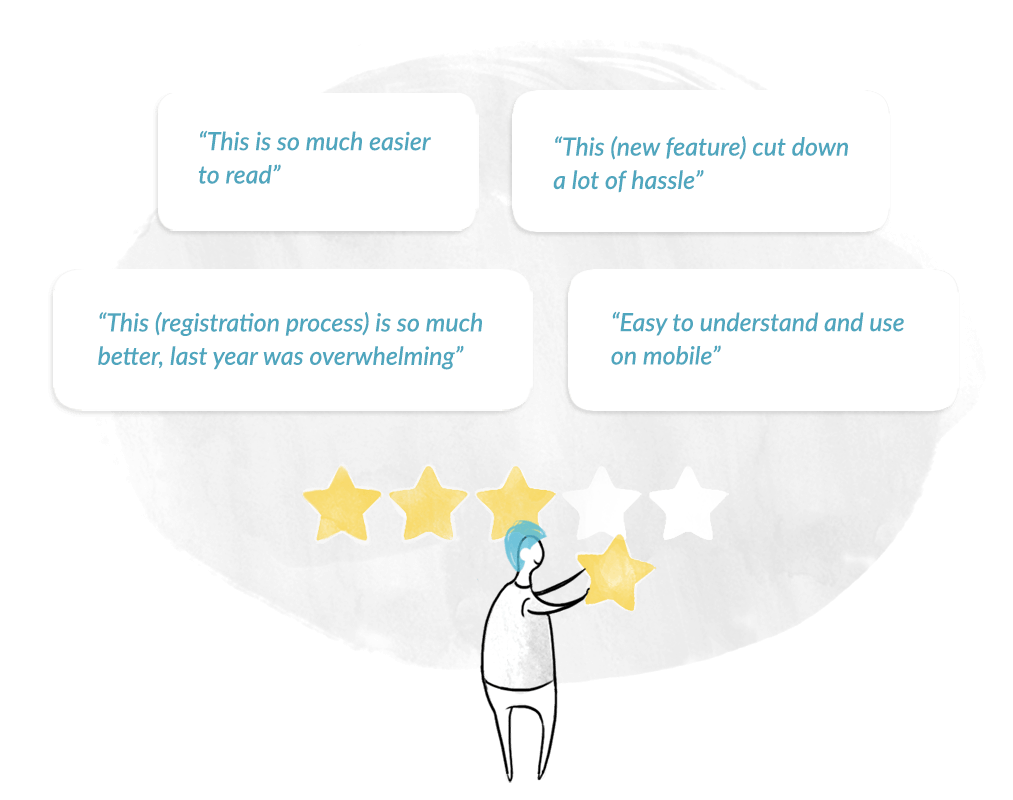
Users find that there is a significant reduction in hassle to register and that information are readable and understandable.

Business Impact

Reduction in Operational Load

  • Less than 5% post-launch issues
    such as failure in registration and payment, which are common in past conference.
  • Reduced operational costs
    in backend management of workshop selections, answering of registration queries and payment processing.
  • Improved customer satisfaction
    with heightened confidence in the registration portal

What can we do better

Some Ending Thoughts...

The Other Side of the Story

    Another major part of the work lies in the backend business operations, such as
  • Tracking of attendees information
  • Timely inputs and updates of programme information
  • Allocation of workshop slots
  • Managing payment
  • which I can only save it for another day.

Moving Forward: Bridging "Non-Design" Gaps

  1. Early release of programme information

    A major part of the stress lies in the lack of reaction time as programme details are only released when registration opens. It is difficult for Principals to collect participant information and make rostering plans for operations.

    I advocated for an early release of programme information, but was faced with resistance due to its implication from other event organising teams. Learning from our research, we hope that organisers will be better prepared to plan for an earlier release of information in the next round.

  2. Accurate record of training hours

    Educators are eligible for training hours after attending the conference. However, our research reflects that conference attendees often did not receive the training hours due to the lack of evidence and difficulties with the Educator Portal (another system owned by our client).

    We hope to relook into the Educator Portal and interface possibilities to explore ways to reflect an accurate record of the training hours, eliminating the need for users to manually submit attendance records.

Building Team Awareness & Gaining Acceptance

I mentioned about the business and user impact above. However, what I felt most accomplished was how we gained trust from the business team. I involved the Business Team as much as possible in user engagement sessions. After each session, we had quick debriefs to discuss our key findings and draw early conclusions and recommended next actions.

Through listening to the Principals pain points first hand, and observing the frustration they encounter when registering for the conference on the old microsite, the Business Team had a better understanding on the need to relive the Principals of these unecessary headaches. This helped increase the acceptance level on our recommendations and foster a user-centric mindset.

PS: The Business Team used our finding synthesis in their updates to their management :)